
Ready-to-Use Template
Doctors Appointment Form
Allow patients to request appointments with health details, appointment type, and preferred time using this Contact Form 7 form for smooth submissions.
The Doctors Appointment Form helps your website visitors request medical appointments easily using Contact Form 7. It is simple and clear, so beginners can add it to their website without difficulty. This form allows patients to send appointment requests online instead of calling or visiting the clinic. In this template, you’ll find fields to collect important patient details such as name, phone number, email, preferred appointment date and time, and the reason for the visit. It also includes options for choosing a doctor or department, helping you understand the patient’s requirements before the appointment. The form includes CAPTCHA and honeypot fields to help reduce spam submissions. Overall, this form provides a practical way to manage medical appointment requests in one place. It helps you collect patient information clearly and makes the scheduling process easier for both healthcare providers and visitors.
Input Fields Used in this Template
Explore the advanced functionalities that extend Contact Form 7, enhancing your form capabilities and optimizing user interactions
 Section Break Field
  Text Field
  Phone Field
  Email field
  Dropdown select
  Date picker
  Address Field
  Textarea field
  Date Time Field
  Submit button
 Here is a user‑friendly Doctors Appointment form designed to collect essential information from users who want to schedule medical appointments clearly and efficiently.
- First Name: The patient’s given name for identification.
- Last Name: The patient’s family name for identification.
- Phone Number: A valid contact number where the patient can be reached.
- Email Address: An active email address for communication and confirmation.
- Gender: The patient’s gender (e.g., Male, Female).
- Date of Birth: The patient’s birth date to understand age and eligibility.
- Address Line 1: Primary address details including street and number.
- Address Line 2: Secondary address information (optional).
- City: The city of residence for the patient.
- State: The state/region where the patient resides.
- Post Code: The postal code corresponding to the address.
- Country: The patient’s country of residence selected from a list.
- Have you previously attended our facility?: A selection to indicate if the patient has visited before.
- If Yes, state on which condition and when?: A text area to provide details about past visits and conditions if applicable.
- Select which appointment type(s) you require: A dropdown to choose the specific medical appointment type needed (e.g., Cardiology, Dental Checkup, Routine Checkup, etc.).
- Appointment Date: The preferred date and time for the doctor visit.
- Notes: Any additional information or special instructions from the patient.
- Submit Button: The action button the user presses to send the appointment request.
Feature of this Template
Here is a quick overview of the features of this template, highlighting its key functions and how they can help you automate your process.
- Personal Information Section: Fields for full name, age, gender, and contact details.
- Appointment Type: Options to select whether it’s a general check-up, follow-up, emergency, or consultation for a specific issue.
- Preferred Date and Time: A calendar picker to choose a suitable day and time slot for the visit.
- Doctor Selection: A dropdown to select the preferred doctor or department (e.g., cardiology, pediatrics).
- Symptoms and Concerns: A text box to describe current symptoms or health concerns.
- Medical History: Space for mentioning previous diagnoses, allergies, medications, or ongoing treatments.
- Insurance Information: Option to enter health insurance details if applicable.
Related Form
Explore additional related forms to enhance the Contact Form 7 user experience using different forms.
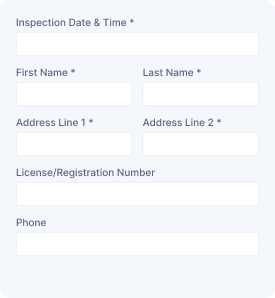
Vehicle Assessment
Collect vehicle details, owner information, inspection needs, and assessment requests to organize vehicle evaluations and service follow-ups.
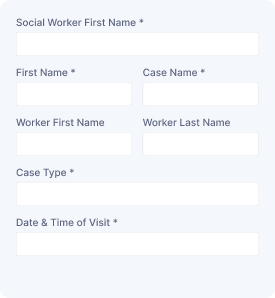
Social Service Visit
Capture visitor details, contact information, visit schedules, and service needs to arrange social support appointments and manage requests.

Service Order Form
Collect customer details, selected services, order information, and special requirements to manage service requests with organized submissions.
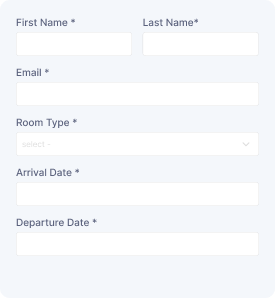
Schedule a Room
Reserve a room with guest details, preferred dates, and contact information while collecting booking requests for smooth scheduling and management.
Start free — Upgrade Anytime
Upgrade Contact Form 7 for Maximum Functionality
Booster for Contact Form 7 enhances your forms with powerful fields, features, and flexible customization options for more creativity.