
Ready-to-Use Template
Vehicle Assessment
Collect vehicle details, owner information, inspection needs, and assessment requests to organize vehicle evaluations and service follow-ups.
The Vehicle Assessment Form helps you collect vehicle inspection and condition details easily using Contact Form 7. It is simple to set up and easy to use, allowing beginners to add it to their website without any difficulty. This form allows users to submit vehicle evaluation information online instead of filling out paper records. In this template, you’ll find fields to collect important details such as assessment date, inspector name, and vehicle information. It also includes a checklist to review different vehicle components, including engine performance, brakes, lights, steering system, suspension, and fuel system. These options help you record the condition of each part in a clear and organized way. Overall, this form provides an easy way to manage vehicle assessment records in one place. It helps you collect the necessary inspection details to review a vehicle’s condition clearly and keep your records organized.
Input Fields Used in this Template
Explore the advanced functionalities that extend Contact Form 7, enhancing your form capabilities and optimizing user interactions
 Date Time Field
  Text Field
  Address Field
  Email field
  Phone Field
  Dropdown select
  Section Break Field
  Textarea field
  Image Upload Field
  Submit button
 Here is a user‑friendly Vehicle Assessment Form designed to collect vehicle inspection and owner details efficiently.
- Inspection Date & Time: The date and time when the vehicle inspection is performed.
- First Name: Inspector’s given name for identification.
- Last Name: Inspector’s family name for identification.
- Address Line 1: Primary address information of the vehicle owner or inspection location.
- Address Line 2: Secondary address information (optional).
- City: City of the vehicle owner or inspection location.
- State: State of the vehicle owner or inspection location.
- Post Code: Postal code of the inspection address.
- Country: Country of the inspection address.
- Email: Contact email for follow‑up communication.
- License/Registration Number: Vehicle’s license or registration identifier.
- Phone: Contact phone number for the owner or inspector.
- VIN Number: Unique Vehicle Identification Number for tracking and records.
- Vehicle Year: Manufacturing year of the vehicle.
- Vehicle Make: Brand or manufacturer of the vehicle.
- Vehicle Model: Specific model name or number of the vehicle.
- Vehicle Mileage: Current mileage of the vehicle.
- Others Vehicle Assessment: General checks of exterior, interior, safety, and basic vehicle functionality.
- Under The Hood: Inspection of engine components and fluid levels.
- Electrical: Functional check of lighting and electrical systems.
- Safety Equipment: Verification of required safety and emergency equipment.
- Accessibility Equipment: Inspection of accessibility-related components and systems.
- Inspection Details: Inspector information, notes, image uploads, and form submission details.
Feature of this Template
Here is a quick overview of the features of this template, highlighting its key functions and how they can help you automate your process.
- Vehicle Information: Collects details about the vehicle, including make, model, year, and VIN (Vehicle Identification Number).
- Mileage: Records the current mileage of the vehicle.
- Exterior Condition: Assesses the condition of the vehicle’s exterior, including any dents, scratches, or paint issues.
- Interior Condition: Evaluates the state of the interior, including seats, dashboard, and upholstery.
- Mechanical Condition: Reviews the performance of key mechanical systems such as the engine, transmission, and brakes.
- Maintenance and Service History: Requests details on any past maintenance or repairs performed on the vehicle.
Related Form
Explore additional related forms to enhance the Contact Form 7 user experience using different forms.
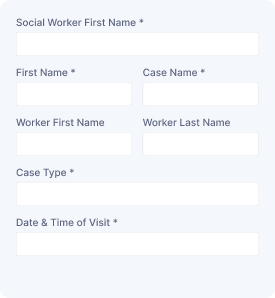
Social Service Visit
Capture visitor details, contact information, visit schedules, and service needs to arrange social support appointments and manage requests.

Service Order Form
Collect customer details, selected services, order information, and special requirements to manage service requests with organized submissions.
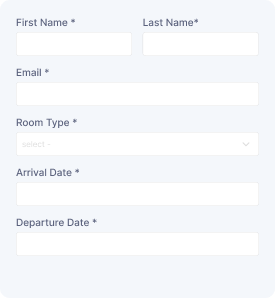
Schedule a Room
Reserve a room with guest details, preferred dates, and contact information while collecting booking requests for smooth scheduling and management.

Online Booking Form
Book services or events online by collecting name, contact information, selected service or event, date, time, and special requests for smooth submissions.
Start free — Upgrade Anytime
Upgrade Contact Form 7 for Maximum Functionality
Booster for Contact Form 7 enhances your forms with powerful fields, features, and flexible customization options for more creativity.