
Ready-to-Use Template
Conference Registration
Collect attendee information with this Conference Registration form for Contact Form 7 to organize submissions and manage event registrations with ease.
The Conference Registration Form helps you collect attendee information for events, workshops, or conferences easily using Contact Form 7. It is simple and easy to set up, so beginners can add it to their website without any trouble. This form allows participants to register online instead of managing registrations manually. In this template, you’ll find fields to collect important attendee details such as name, email, phone number, organization, job title, and preferred sessions. It also includes options for registration type, special requirements, and additional comments to help you understand each participant’s needs. The form is designed to gather all the necessary information required for planning and managing your event. Overall, this form provides a practical way to handle conference registrations in one place. It helps you collect complete participant details clearly and keeps your event registration process more organized.
Input Fields Used in this Template
Explore the advanced functionalities that extend Contact Form 7, enhancing your form capabilities and optimizing user interactions
 Section Break Field
  Text Field
  Address Field
  Phone Field
  Email field
  Textarea field
  Submit button
 Here is a user-friendly Conference Registration form designed to collect essential information from users who want to register for a conference clearly and efficiently.
- Full Name: The attendee’s given and family name for identification.
- Email Address: An active email address for communication, updates, and confirmation.
- Phone Number: A valid contact number where the attendee can be reached if needed.
- Address Line 1: Primary address detail for the registrant.
- Address Line 2: Secondary or optional address detail.
- City: The city of the registrant’s address.
- State: The state or province of the registrant’s address.
- Zip/Postal Code: The postal or ZIP code of the registrant’s address.
- Country: The country of the registrant’s address.
- Comments/Notes: Any additional notes, requests, or information from the attendee.
- Submit Button: Sends the completed conference registration form.
Feature of this Template
Here is a quick overview of the features of this template, highlighting its key functions and how they can help you automate your process.
- Simple, User-Friendly Design: Intuitive layout for easy navigation and quick registration.
- Customizable Fields: Tailor forms to collect specific details like attendee name, email, organization, and session preferences.
- Multiple Payment Options: Accept payments via credit card, PayPal, and other common methods.
- Real-Time Confirmation: Instant email confirmation after registration with event details and ticket information.
- Discount & Promo Code Support: Apply promotional codes or early-bird discounts directly during registration.
- Session Selection: Allow participants to select workshops, keynote speeches, or breakout sessions.
- Multiple Ticket Types: Offer different ticket categories (e.g., General Admission, VIP, Group Rates).
- Easy Data Management: Automatically collect and organize participant data in a secure, accessible dashboard.
Related Form
Explore additional related forms to enhance the Contact Form 7 user experience using different forms.
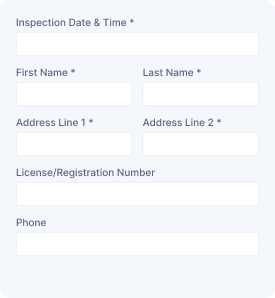
Vehicle Assessment
Collect vehicle details, owner information, inspection needs, and assessment requests to organize vehicle evaluations and service follow-ups.
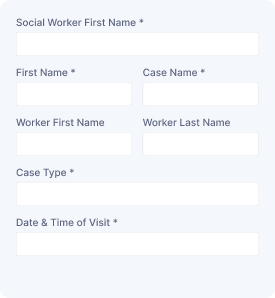
Social Service Visit
Capture visitor details, contact information, visit schedules, and service needs to arrange social support appointments and manage requests.

Service Order Form
Collect customer details, selected services, order information, and special requirements to manage service requests with organized submissions.
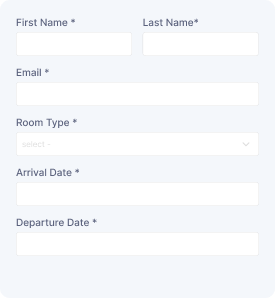
Schedule a Room
Reserve a room with guest details, preferred dates, and contact information while collecting booking requests for smooth scheduling and management.
Start free — Upgrade Anytime
Upgrade Contact Form 7 for Maximum Functionality
Booster for Contact Form 7 enhances your forms with powerful fields, features, and flexible customization options for more creativity.