
Ready-to-Use Template
Accessible Parking Request
Let users request an accessible parking space by submitting their details, parking needs, and any required supporting documents.
The Accessible Parking Request form lets visitors apply for an accessible parking permit through your Contact Form 7 website. It offers a simple layout that is easy to set up and helps replace paper-based requests with an online application. The form includes fields for personal information such as name, address, date of birth, and contact details. Users can also select the permit type, enter vehicle information, upload supporting medical documents, complete a CAPTCHA check, and accept the required terms before submitting. This template is a practical choice for government offices, organizations, healthcare providers, and institutions that need a clear and organized way to collect accessible parking requests online.
Input Fields Used in this Template
Explore the advanced functionalities that extend Contact Form 7, enhancing your form capabilities and optimizing user interactions
 Text Field
  Address Field
  Date Time Field
  Phone Field
  Email field
  Dropdown select
  Number field
  File Upload Field
  Acceptance field
  Submit button
 Here is a simple and easy-to-understand Accessible Parking Request form. The fields are designed to collect all essential applicant information efficiently, ensuring accurate processing of parking accommodations.
- First Name: The applicant’s given name as shown on official records.
- Last Name: The applicant’s family or surname used for identification.
- Address Line 1: The main street address, including house or building number.
- Address Line 2: Additional address details such as apartment or suite number (optional).
- City: The city or town where the applicant lives.
- State: The state, province, or region of residence.
- Post Code: The postal or ZIP code for accurate mail delivery.
- Country: The country of the applicant’s residence.
- Date of Birth: The applicant’s birth date in day/month/year format.
- Phone: A valid phone number where the applicant can be contacted.
- Email: An active email address for communication and updates.
- Driver License Number: The license number issued by the relevant licensing authority.
- Application Type: The type of parking accommodation being requested (e.g., permanent, temporary placard, disabled person license plate).
- License Plate Number: The vehicle’s registered plate number for identification.
- Vehicle Identification Number (VIN): A unique code identifying the applicant’s vehicle (optional).
- Vehicle Make: The manufacturer or brand of the vehicle (optional).
- Vehicle Year: The model year of the vehicle (optional).
- Medical Certification Upload: A file upload for attaching a medical document from a licensed physician that certifies the applicant’s disability.
- Acceptance Checkbox: Confirmation that the information provided is accurate to the best of the applicant’s knowledge.
Feature of this Template
Here is a quick overview of the features of this template, highlighting its key functions and how they can help you automate your process.
- Applicant Information: Collects personal details such as name, contact information, and address.
- Reason for Request: Asks the applicant to provide a reason for needing accessible parking (e.g., disability, medical condition).
- Documentation: Requests required documentation, such as a doctor’s note or proof of disability.
- Vehicle Information: Gathers details about the vehicle, including make, model, and license plate number.
- Parking Location: Allows the applicant to specify the desired location for the accessible parking space.
Related Form
Explore additional related forms to enhance the Contact Form 7 user experience using different forms.
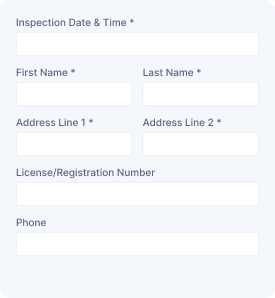
Vehicle Assessment
Collect vehicle details, owner information, inspection needs, and assessment requests to organize vehicle evaluations and service follow-ups.
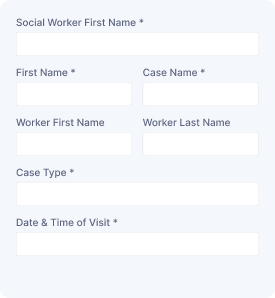
Social Service Visit
Capture visitor details, contact information, visit schedules, and service needs to arrange social support appointments and manage requests.

Service Order Form
Collect customer details, selected services, order information, and special requirements to manage service requests with organized submissions.
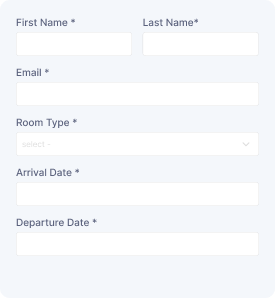
Schedule a Room
Reserve a room with guest details, preferred dates, and contact information while collecting booking requests for smooth scheduling and management.
Start free — Upgrade Anytime
Upgrade Contact Form 7 for Maximum Functionality
Booster for Contact Form 7 enhances your forms with powerful fields, features, and flexible customization options for more creativity.