
Ready-to-Use Template
Hotel Booking Form
Reserve hotel rooms with guest details, including check-in/out dates, room type, and contact information for smooth booking submissions.
The Hotel Booking Form allows guests to send room reservation requests directly through your website using Contact Form 7. It comes with a simple structure that is easy to set up and helps visitors submit booking details online without needing phone calls or emails. In this template, you’ll find fields for collecting guest information such as name, phone number, email, check-in and check-out dates, number of guests, and preferred room type. It also includes sections for special requests and additional services, allowing guests to mention their requirements before arrival. The form keeps all reservation details organized in one place for easier management. Overall, this form is a practical way to handle hotel booking inquiries through your website. It helps you collect complete guest information clearly and makes managing room requests more convenient.
Input Fields Used in this Template
Explore the advanced functionalities that extend Contact Form 7, enhancing your form capabilities and optimizing user interactions
 Section Break Field
  Text Field
  Phone Field
  Email field
  Dropdown select
  Number field
  Booking Date Field
 Booking Time Field
  Date Time Field
  Textarea field
  Submit button
 Here is a user‑friendly Hotel Booking form designed to collect essential information from users who want to reserve a hotel room clearly and efficiently.
- Full Name: The guest’s given and family name for identification.
- Email Address: An active email address for booking confirmation and communication.
- Phone Number: A valid contact number where the guest can be reached.
- Room Type: Select the preferred room category (e.g., Standard Room, Family Room, Private Room, Dormitory).
- Number of Guests: Total number of people staying at the hotel.
- Arrival Date: The date the guest plans to check in.
- Arrival Time: The expected check-in time of the guest.
- Departure Date: The date the guest plans to check out.
- Free Pickup?: Indicates whether the guest wants a complimentary pickup service (Yes/No).
- Special Requests: Any additional requirements or notes such as early check-in or special arrangements.
- Math Captcha: A simple math challenge to prevent spam submissions.
- Submit Button: Sends the completed hotel booking request.
Feature of this Template
Here is a quick overview of the features of this template, highlighting its key functions and how they can help you automate your process.
- Guest Information: Collects full name, contact details, and identification number for verification.
- Stay Dates: Input fields for check-in and check-out dates, with a calendar view for easy selection.
- Room Preferences: Options for room type (single, double, suite) and bed preference (king, queen, twin).
- Special Requests: Allows guests to specify any additional needs, such as early check-in, late check-out, or accessibility requirements.
- Number of Guests: Input for the total number of adults and children staying, ensuring proper room assignments.
- Payment Information: Secure fields for credit card details, including card number, expiration date, and CVV.
- Promotions & Discounts: A field to apply promo codes or check for special offers available during booking.
Related Form
Explore additional related forms to enhance the Contact Form 7 user experience using different forms.
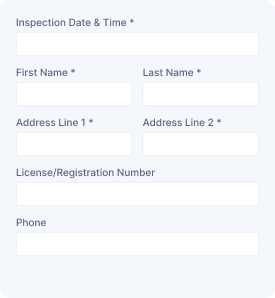
Vehicle Assessment
Collect vehicle details, owner information, inspection needs, and assessment requests to organize vehicle evaluations and service follow-ups.
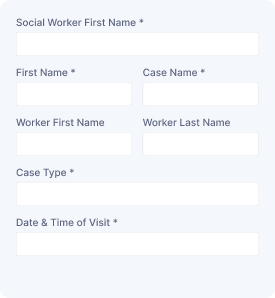
Social Service Visit
Capture visitor details, contact information, visit schedules, and service needs to arrange social support appointments and manage requests.

Service Order Form
Collect customer details, selected services, order information, and special requirements to manage service requests with organized submissions.
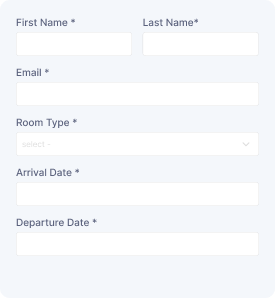
Schedule a Room
Reserve a room with guest details, preferred dates, and contact information while collecting booking requests for smooth scheduling and management.
Start free — Upgrade Anytime
Upgrade Contact Form 7 for Maximum Functionality
Booster for Contact Form 7 enhances your forms with powerful fields, features, and flexible customization options for more creativity.