
Ready-to-Use Template
Subscribe for Updates
Receive updates by submitting name, email address, interests, and subscription preferences for future announcements and news.
The Subscribe for Updates Form helps your website collect subscription details using Contact Form 7. It is simple to set up and easy for visitors to use, so even beginners can add it to their site without any difficulty. This form allows people to submit their contact information online instead of using email or phone. In this template, you will find fields to collect important details like the subscriber’s name and email address. It also includes sections for preferences, topics of interest, and additional comments. All the details are collected in one place so you can review update subscriptions easily.
Input Fields Used in this Template
Explore the advanced functionalities that extend Contact Form 7, enhancing your form capabilities and optimizing user interactions
 Email field
  Submit button
 Here is a user-friendly Newsletter Subscription Form fields designed to collect essential subscriber information.
- Email Address: The subscriber’s email to receive newsletters and updates.
- Math Captcha: A simple math question to verify the user is human and prevent spam.
- Submit Button: The button to subscribe to the newsletter.
Feature of this Template
Here is a quick overview of the features of this template, highlighting its key functions and how they can help you automate your process.
- Personal Information: Collect essential details like name and email address for sending updates.
- Subscription Preferences: Allow users to select the type of updates they wish to receive (e.g., newsletters, promotions, event announcements).
- Frequency Options: Provide options for how often they would like to receive updates (e.g., weekly, monthly).
- Opt-in for Additional Content: Allow users to opt in for exclusive content or special offers.
- Consent Checkbox: Include a checkbox for users to consent to receiving emails, with a link to privacy policy and unsubscribe options.
- Special Interests: Provide fields for users to specify topics or areas of interest for more targeted updates.
- Confirmation Email: Automatically send a confirmation email with subscription details and a welcome message.
Related Form
Explore additional related forms to enhance the Contact Form 7 user experience using different forms.
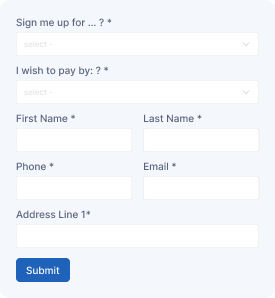
Newsletter Subscription Form
Subscribe with personal details, email information, content preferences, and communication choices for newsletter delivery.
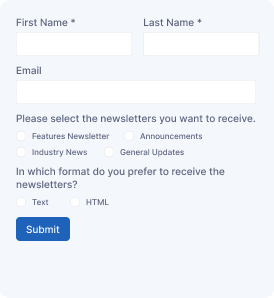
Newsletter Registration Form
Register for newsletters by sharing subscriber details, email address, interests, and preferences to receive regular updates.
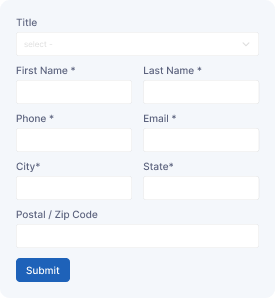
Mailing Address Form
Provide mailing details including name, address, city, postal code, country, and contact information for communication records.
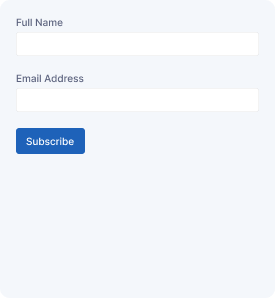
Join Our Newsletter
Join mailing lists by submitting subscriber details, email information, interests, and preferences for receiving news and announcements.
Start free — Upgrade Anytime
Upgrade Contact Form 7 for Maximum Functionality
Booster for Contact Form 7 enhances your forms with powerful fields, features, and flexible customization options for more creativity.