
Ready-to-Use Template
Installation Check Form
Record installation details with customer information, equipment details, inspection results, issues, and notes for verification.
The Installation Check Form helps your website collect installation verification details using Contact Form 7. It is simple to set up and easy for visitors to use, so even beginners can add it to their site without any difficulty. This form allows users to submit installation check information online instead of using email or phone. In this template, you will find fields to collect important details like the requester’s name, email address, and phone number. It also includes sections for installation date, system or product information, checklist items, installation status, and additional comments. All the details are collected in one place so you can review and manage installation reports easily.
Input Fields Used in this Template
Explore the advanced functionalities that extend Contact Form 7, enhancing your form capabilities and optimizing user interactions
 Section Break Field
  Text Field
  Address Field
  Date Time Field
  Dropdown select
  Textarea field
  Image Upload Field
  Submit button
 Here is a user‑friendly Installation Check Form fields designed to gather essential information for checking installation requirements.
- Installation Engineers Name: Enter the name of the engineer performing the installation.
- Customer Name: Enter the full name of the customer.
- Customer Address: Provide the full address of the customer, including line 1, city, state, zip, and country.
- Start Date & Time: Select the date and time when the installation work begins.
- Type of Work: Choose the type of installation work being carried out.
- What Work Was Carried Out?: Describe the tasks or activities performed during the installation.
- Further Action Required: Specify any follow-up actions needed after the installation.
- Serial Numbers or Parts Used: List any serial numbers or parts used during the work.
- Photo: Upload an image related to the installation (maximum 1 file).
- End Date & Time: Select the date and time when the installation work was completed.
- Math Captcha: Complete a simple math question to verify you are human and prevent spam.
- Submit Button: Click to submit the completed installation check form.
Feature of this Template
Here is a quick overview of the features of this template, highlighting its key functions and how they can help you automate your process.
- Clear Identification: Space for recording customer and project details.
- Pre-Installation Assessment: Section to confirm site readiness and necessary preparations.
- Equipment Checklist: List of items to be installed with boxes to check off as they’re confirmed.
- Installation Steps: A clear step-by-step guide to ensure all procedures are followed.
- Safety Protocols: Area to confirm safety measures have been observed during installation.
- Testing Confirmation: Section to verify if equipment has been properly tested and functions correctly.
- Completion Acknowledgment: Signature area for both installer and client to confirm the job is complete.
Related Form
Explore additional related forms to enhance the Contact Form 7 user experience using different forms.
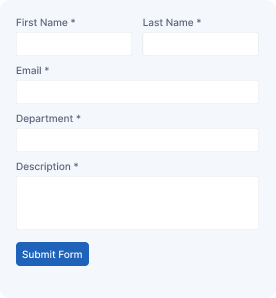
Support Forms
Send support requests by providing user details, issue information, service category, descriptions, and contact details for assistance.
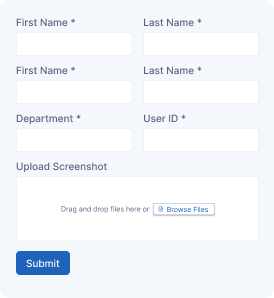
IT Service Ticket Form
Create support tickets by entering user details, technical issues, priority levels, attachments, and contact information for tracking.
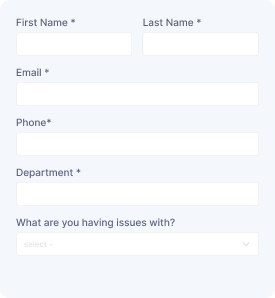
IT Service Request Form
Submit IT requests with user details, service category, issue descriptions, device information, and contact details for support.
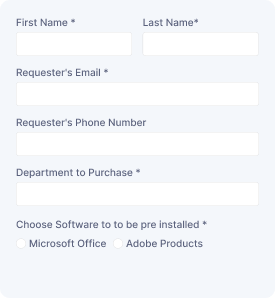
Hardware Request Form
Request hardware support by providing employee details, equipment needs, specifications, reasons, and contact information for processing.
Start free — Upgrade Anytime
Upgrade Contact Form 7 for Maximum Functionality
Booster for Contact Form 7 enhances your forms with powerful fields, features, and flexible customization options for more creativity.